How to Make a Sprite Sheet
This guide shows you how to make a sprite sheet for your 2D game. You will learn the layout rules, three ways to build your frames, and how to import them into your engine.
Sprite sheet basics
A sprite sheet is one image that holds every frame of an animation in a grid of equal cells. The game engine displays one cell at a time in sequence to create movement.
Sheet dimensions equal frame size times columns by frame size times rows. For example, eight frames of 64 px in one row form a sheet of 512 by 64 px, while three actions take 512 by 192 px.
- Frame size: keep every frame identical, with 32, 48, 64, or 128 px as common sizes.
- Frames per action: use 4 frames as the minimum for a simple walk, or 8 frames for smoother motion.
- Layout: organize one row per action because it is the easiest structure to slice.
- Shared foot line: ensure the character feet land on the same pixel line in every frame.
- Transparent background: save the file with a clear background behind the character.
- Playback speed: run idle at about 6 fps, walk at 10 fps, and run or attack at 12 fps.
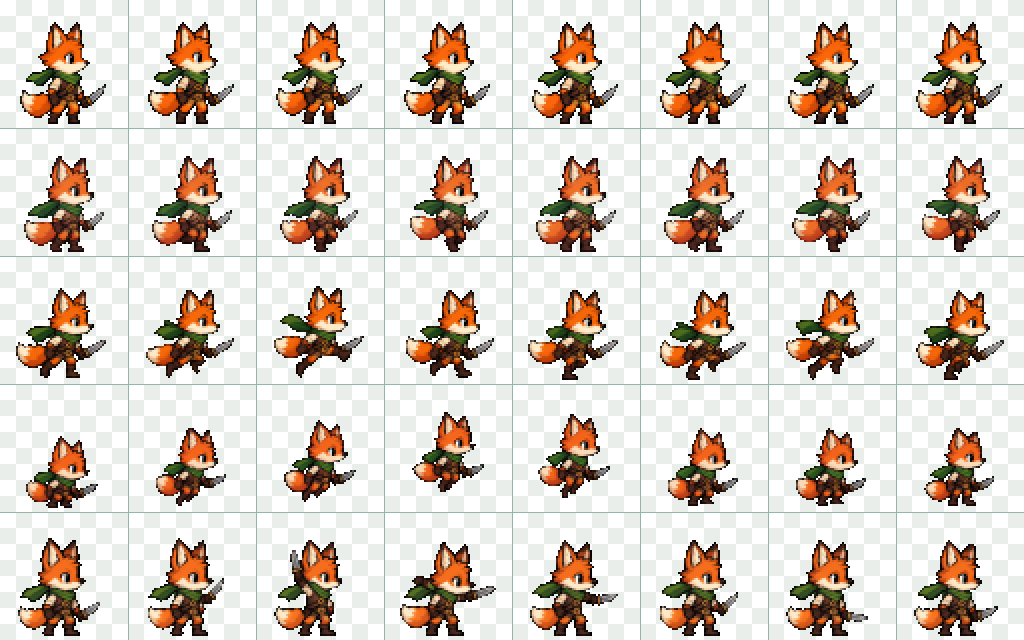
Way 1: Draw the frames yourself
You can draw each frame by hand if you want full control over every pixel in your animation.
Set a fixed canvas size
Pick a square cell size like 32, 48, or 64 px and use this exact size for each frame.
Keep feet on a shared line
Draw a guide line across your canvas so the character feet rest on the exact same ground level.
Animate the key poses
Draw at least 4 frames for a simple walk or 8 frames for a smooth cycle, maintaining consistent character proportions.
Export the animation
Export a sprite sheet image directly, or export a GIF and convert it using the GIF to Sprite Sheet tool on this site.

Way 2: Convert an existing animation
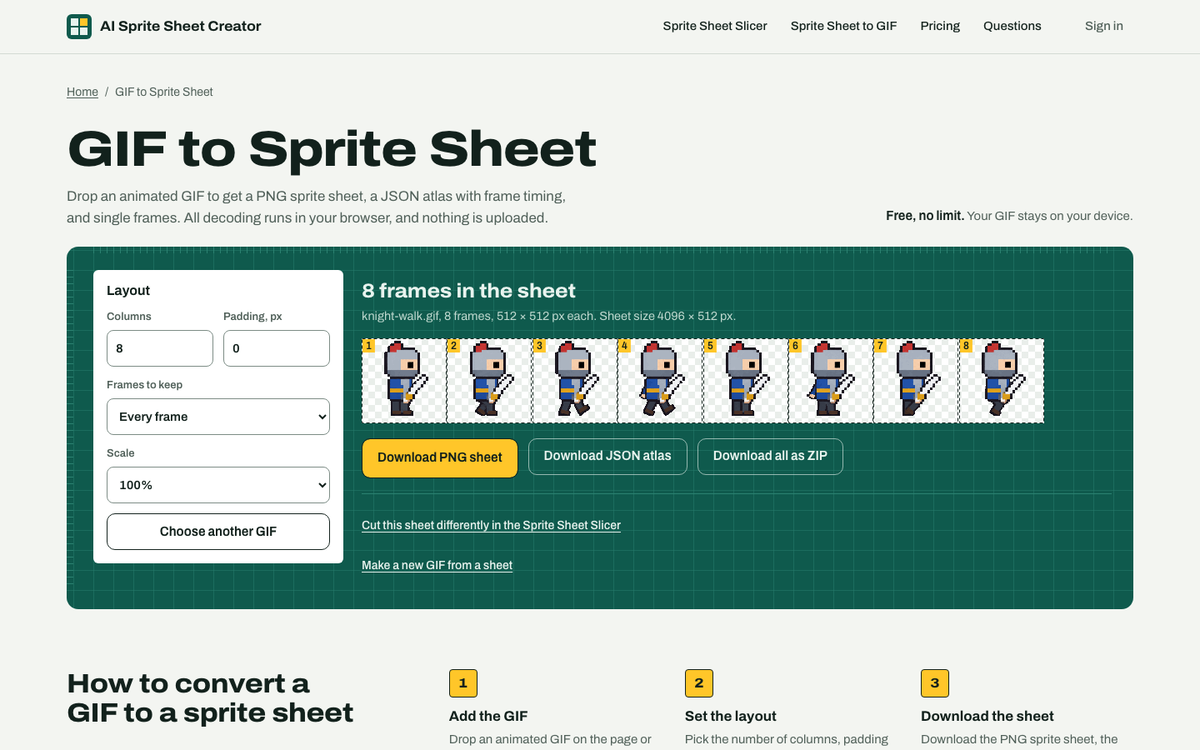
If you already have an animated GIF, you can convert it into a clean sheet directly in your browser.
Load your GIF file
Open the GIF to Sprite Sheet tool and select your file. The tool runs locally in your browser and uploads nothing.
Select your column count
Choose how many columns you want so the frames arrange into a clean single row or grid.
Download the PNG and atlas
Save the transparent PNG sprite sheet and the accompanying JSON atlas listing each frame position and duration.
Way 3: Generate frames with AI
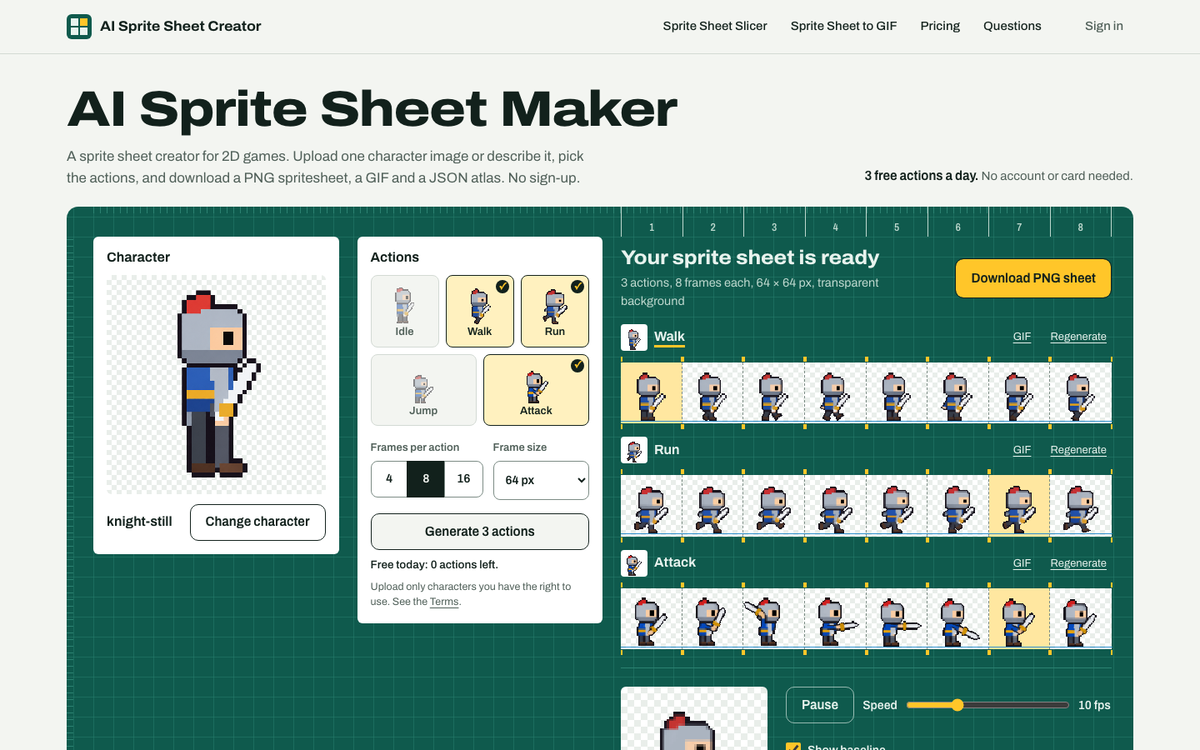
You can generate full animation rows using the AI Sprite Sheet Maker on this site.
Provide a character reference
Upload a single character image or type a short text description of your character.
Choose actions and frame counts
Select actions such as idle, walk, run, jump, or attack, and pick 4, 8, or 16 frames per action.
Set your frame resolution
Choose a frame size between 32 and 256 px to match your game style.
Generate and export
Download a transparent PNG sheet, a GIF per action, a JSON atlas, or a ZIP file, or regenerate individual actions.
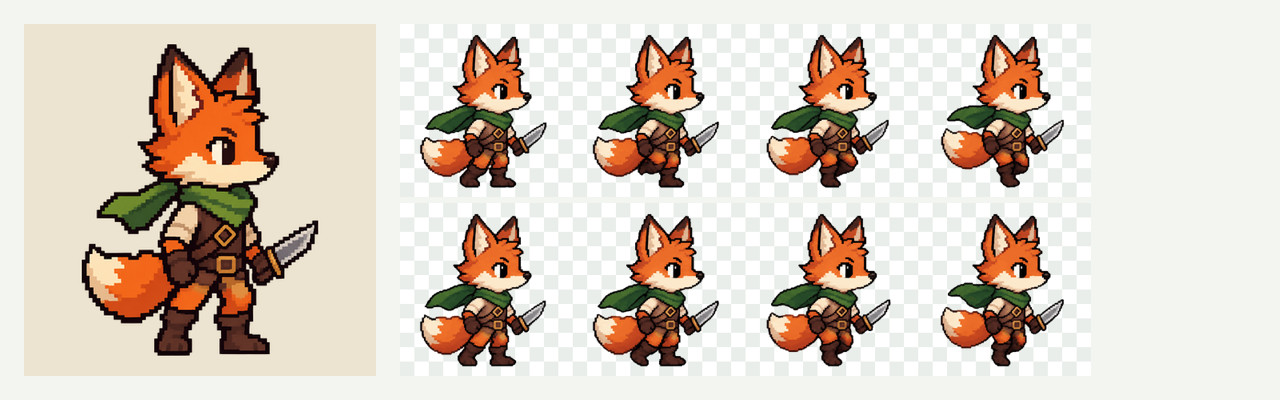
On 10 November 2026 we tested this generator with 4 characters (2 pixel art, 2 hand-painted), 4 actions each, at 8 frames. The character stayed recognisably the same across the 8 frames in all 16 animations. Two run cycles dropped the character's weapon until we changed the instructions we send. In walk and idle, the foot line moved by at most 2.8% of the character's height. One action took 19 to 94 seconds, 23 seconds at the median. The character's size can differ a little between actions, so check the result before you ship it.
How to check your sheet
Before importing your sheet into a game, verify the alignment and timing to avoid visual glitches.
- Play the animation: create a looping preview using the Sprite Sheet to GIF tool to see frames in motion.
- Check foot stability: watch the ground contact points to ensure feet do not slide or bob up and down.
- Inspect character scale: look closely across the sequence to make sure character height stays consistent.
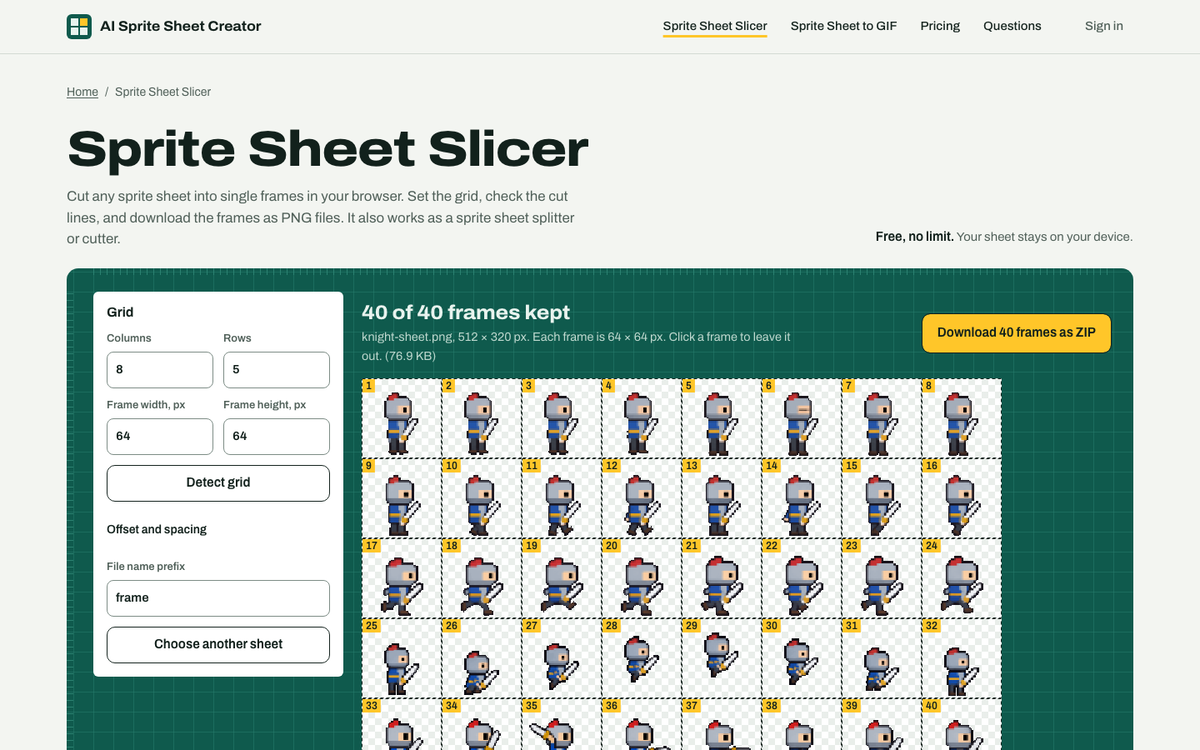
- Verify cell boundaries: use the Sprite Sheet Slicer to draw cut lines and confirm no art crosses the cell borders.
Import your sheet into a game engine
Here is how to slice and configure an 8-frame action at 64 by 64 px across four common game engines.
| Engine | Where | Setting |
|---|---|---|
| Unity | Sprite Mode: Multiple, then Sprite Editor, Slice | Grid By Cell Size, 64 × 64 |
| Godot | AnimatedSprite2D, SpriteFrames, Add frames from sprite sheet | Horizontal 8, Vertical 1 per action row |
| GameMaker | Sprite editor, Image, Import Strip Image | 8 frames, 64 × 64, 8 per row |
| Phaser | this.load.spritesheet() | { frameWidth: 64, frameHeight: 64 } |
Tools on this site
- AI Sprite Sheet MakerTurn one character image into walk, run, jump and attack frames.
- GIF to Sprite SheetTurn an animated GIF into a sprite sheet with a JSON atlas.
- Sprite Sheet SlicerCut a sheet into single frames and download them as a ZIP of PNGs.
- Sprite Sheet to GIFTurn a sheet into a looping GIF. Set rows, columns and speed.
Questions
What size should a sprite sheet be?
A sprite sheet size is calculated by multiplying frame size by columns and frame size by rows. Common frame sizes are 32, 48, 64, and 128 px. For example, an 8-frame action at 64 px in one row is 512 by 64 px. Three stacked actions of that length result in a sheet measuring 512 by 192 px.
How many frames does a walk cycle need?
A simple walk cycle needs a minimum of 4 frames. Using 8 frames per action produces a noticeably smoother walk cycle. For playback speed, a walk cycle usually runs best at about 10 frames per second.
What is the difference between a sprite sheet and a texture atlas?
A sprite sheet uses one fixed cell size across a uniform grid. A texture atlas packs frames of varying sizes together and requires a data file that defines the exact coordinates and dimensions of each frame. The JSON atlas from this site lists the x, y, width, and height for a fixed-size sheet.
Can you make a sprite sheet from a GIF?
Yes. The GIF to Sprite Sheet tool on this site reads an animated GIF in your browser, arranges the frames into your chosen number of columns, and downloads a transparent PNG sheet plus a JSON atlas. The tool runs locally and uploads nothing.
Can AI make a sprite sheet from one image?
Yes. The AI Sprite Sheet Maker on this site accepts one character image or a short text description. You select the actions, choose 4, 8, or 16 frames, and pick a frame size from 32 to 256 px. It creates one row of equal frames per action with a transparent background.
Last updated: 2026-11-10